Bridge Compass offers a simple but intuitive Double Dummy player. On the right side of the Practice Hand tab - below the statistics grid - you will find the button that calls the popup screen. If the board has a contract or play linked to it (F.I. through a PBN import) those will be used.
On the board below East is declaring 5♥ after a slam trial. The contract was changed manually because no real life contract was available. South is on lead. The red indicates setting the contract by a number of tricks and the green goes for overtricks.
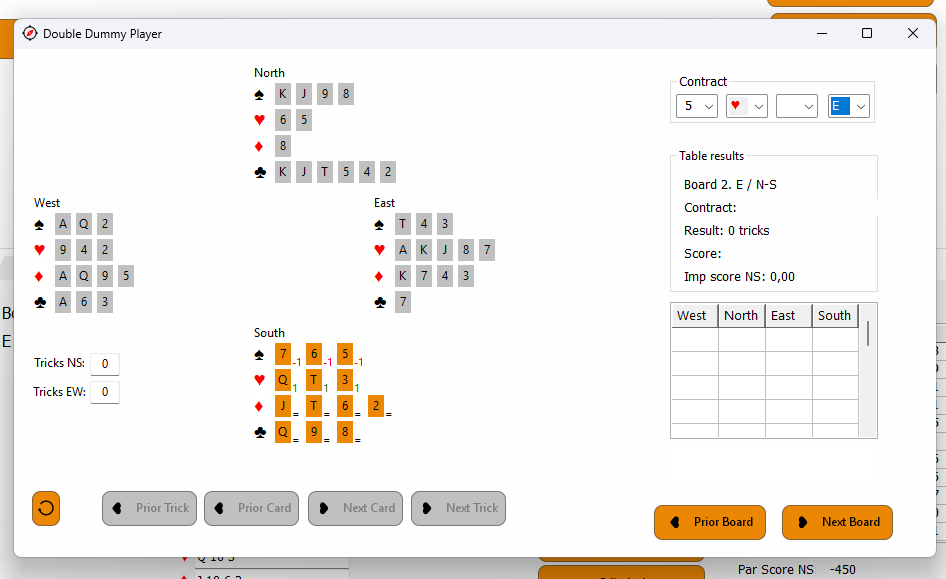
South leads the third best and East decides to let it run to the T. Leaving the next situation:
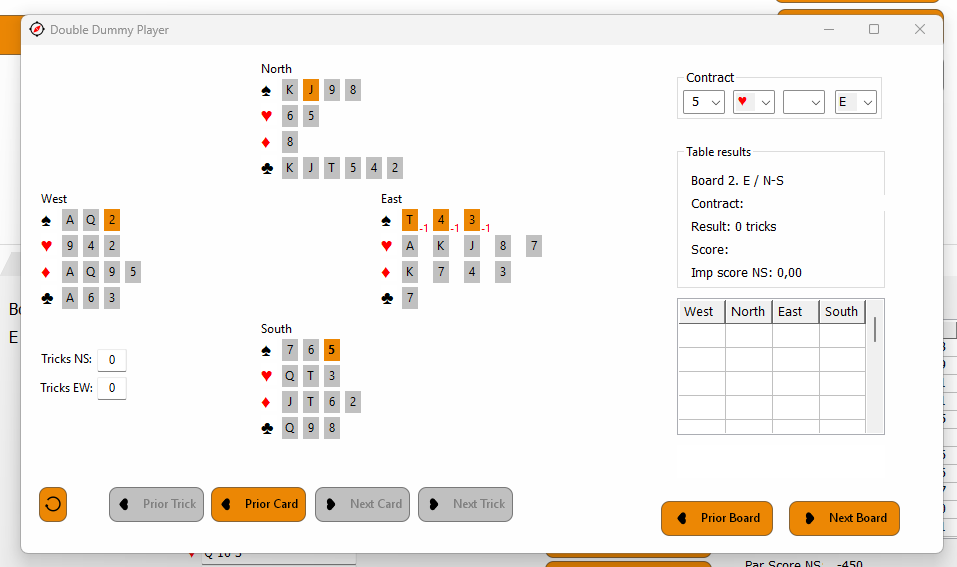
East plays low and now you immediately go to the next trick. North is on lead and all have 12 cards remaining. On the left you see the trick counters for NS and EW. The buttons 'Prior Trick' and 'Prior Card' will bring you back to the last card of the previous trick.

As you can see below you can advance to the next trick. History has been built up. You can go a card back by using the 'Prior Card' button or you can click on a bold card that already has been played. The 'Revert' button in the left bottom corner will bring you back to a fresh start without history.

If you have a board with results the screen looks like this. Player names, results and history are all shown. The 'Next Card' button will show you the real play.
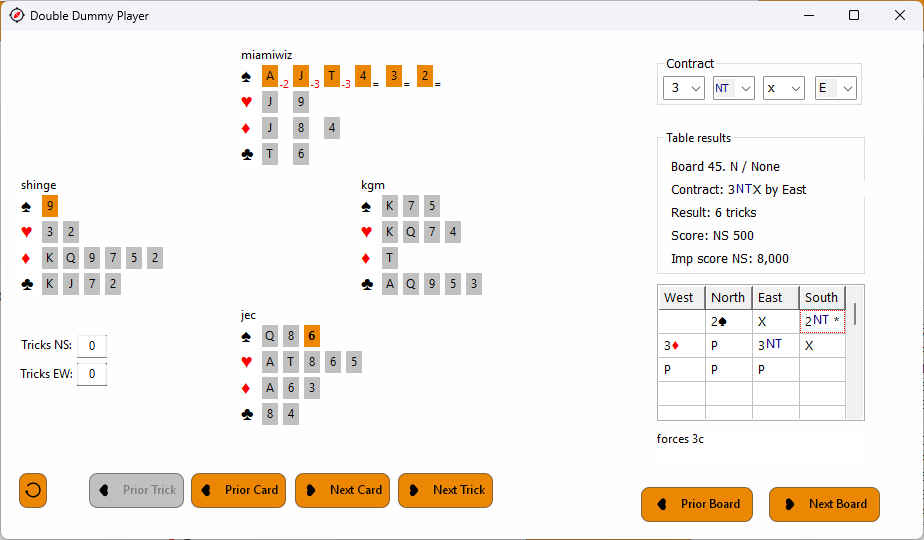
If the original play is available, the Double Dummy offers a nice feature. You can play manually a different line so new history builds up. This is also possible if no real life history exists. But if you go back and arrive at the point where you left the original play, that will be restored in the history tree and the variation you tried is removed. That way you can try out various ways of play and return to any point of the real play without having to start from scratch.
The buttons 'Prior Board' and 'Next Board' let you navigate through the boards available in the project. You don't need to have DD results on your boards in the project. Those are always done in this window.